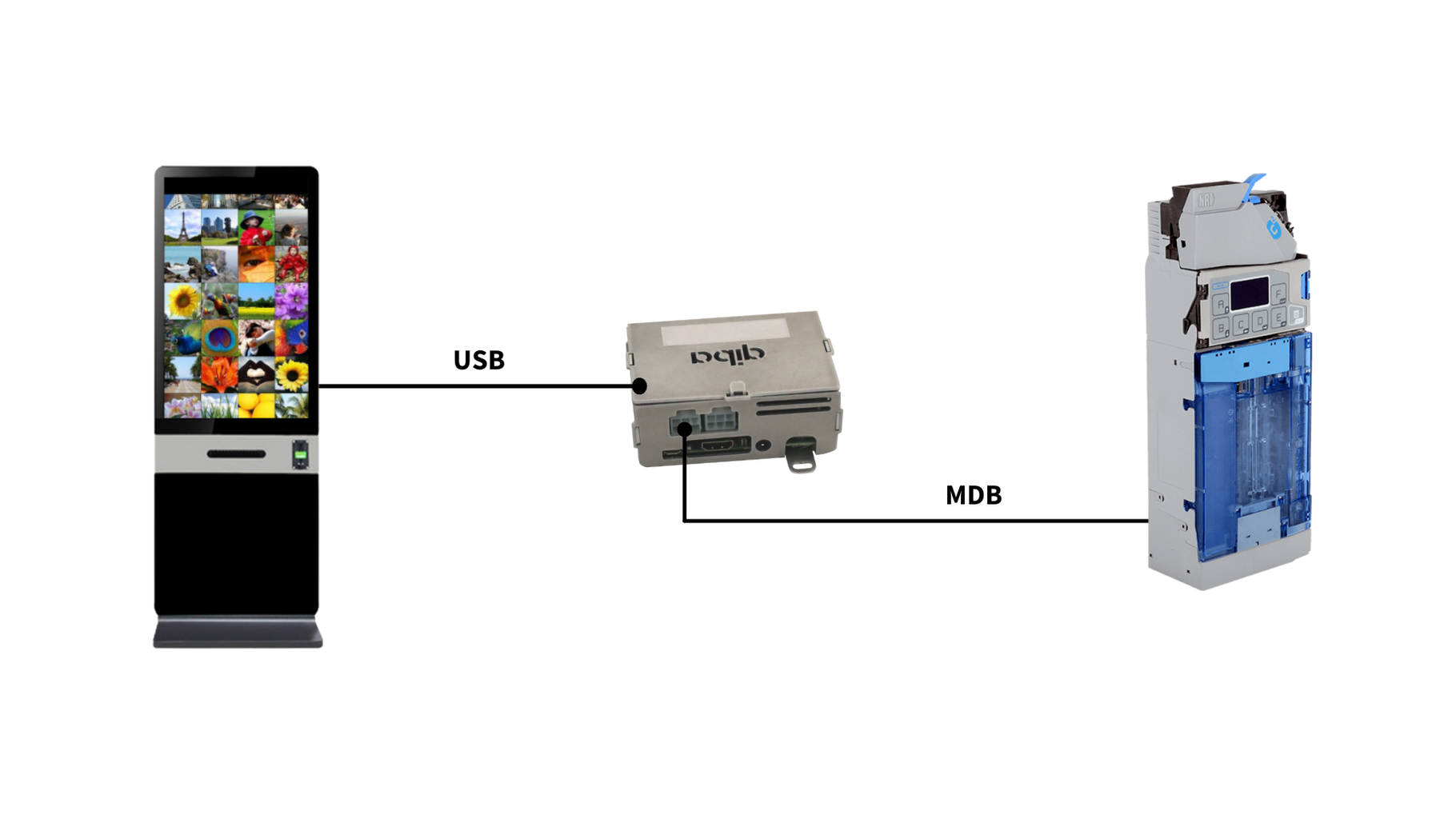
The application will run with UI on a raspberry pi. It will be started by a user or autostart, and should run fullscreen. It will be used as an automated test station for coin acceptors, with as little as possible user input. Focus need to be on the speed of the testing function.
The basic flow for the testing is:
Software waits with a waiting screen ('please wait initializing device')
User connects the coin acceptor and switches it on power to it
The software detects its presence, initialises the device and asks the user to put in money
The user will put in each coin type exactly twice so that the amount sums up to the correct value for all coins entered twice.
When the amount is reached, the software will show a green 'success' screen and append an entry to a log file on the computer (csv format).
The user then is requested to disconnect the acceptor (switch off the power to connector first) which the software detects, so it goes back to the waiting screen.
The software should work with or without touchscreen. If no touch screen is connected, user input can be given from a (numeric keypad or standard keyboard.
Download the application from here
Configuration
Before running the application there is needed to configure the config.txt file according to your needs
COM port to use (/dev/ttyUSB0)
Test station code (default 1)
Software license to check (default: not set)
Optional: user code (default 0)
Then, all you need is to run the script. The coinpay must be ran with sudo.
Wiring
Please NEVER connect MDB Cables with the machine turned on, this can damage both devices