
Pi Hat Plus/USB shared jumpers
The Standard version of Qibixx MDB Pi Hat generally does not need any jumpers to be set or reconfigured, since it does not support "Master" and "Slave" Modes simultaneously. On the Pi Hat Plus version, there are 3 jumper groups as presented below.
The jumpers on this section apply to the Pi Hat Plus and to the Pi Hat USB. For the specific jumpers to the Pi Hat USB, please check the Pi Hat USB section
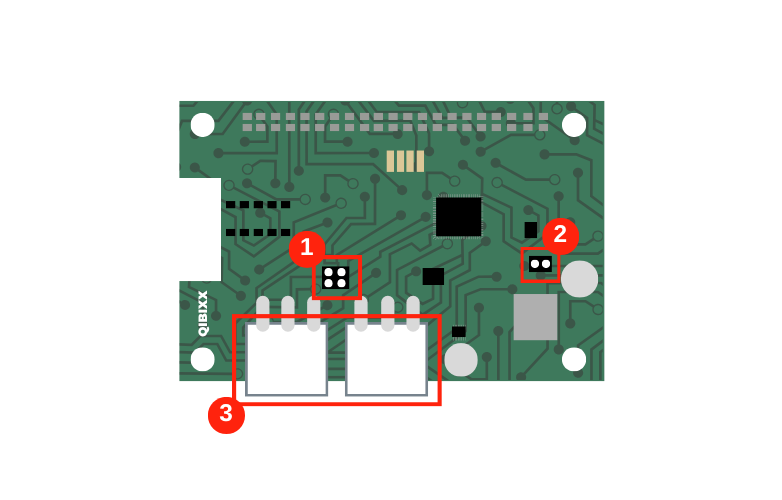
Number | Name | Description | Note |
|---|---|---|---|
1 | Split Mode | These jumpers bridge the two MDB connectors (Master and Slaver). Jumper should normally be installed (they are necessary for sniffing). *Remove them if you need separate master and slave functionality (also known as Split Mode). * NOTE: These jumpers must be set horizontally according to the direction of the schematic above. | Do not connect these jumpers vertically. To enable split mode, please remove the jumpers. |
2 | Update | Sets the device to Update mode. | Used to set the device in update mode and load the firmware for the MDB interface. |
3 | MDB Connectors | VMC (left) and Peripheral (right) 'VMC', is an MDB master interface suitable to BE a VMC and connect peripherals, and the right connector labelled 'Peripheral' is an MDB slave port which usually connects to a VMC or other MDB master | Used to communicate with the VMC, Peripherals and can also be used to power the device |
The actual Version 1.2 of the Pi Hat can provide 5A at 25W to the Pi from the MDB Bus power
There are no more jumpers to cut this off, but the device is back feed safe, so connecting power through the Pi Hat will not damage it
Master Mode - Jumper Set 1 Installed:
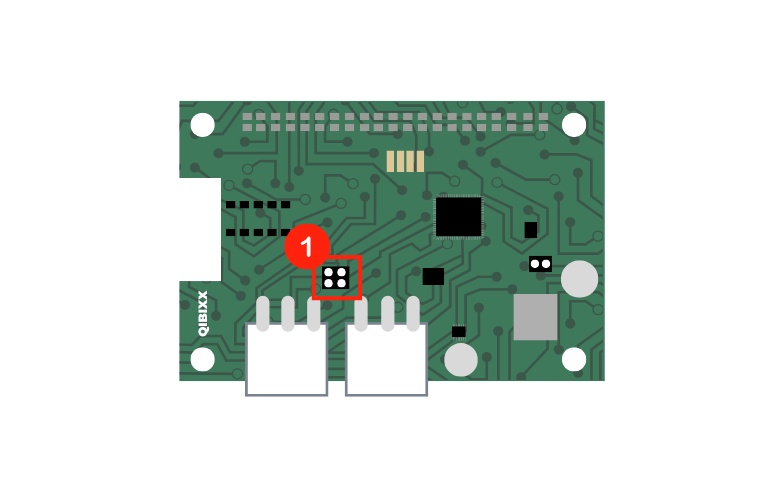
Slave/Sniffing Mode - Jumper Set 1 Installed
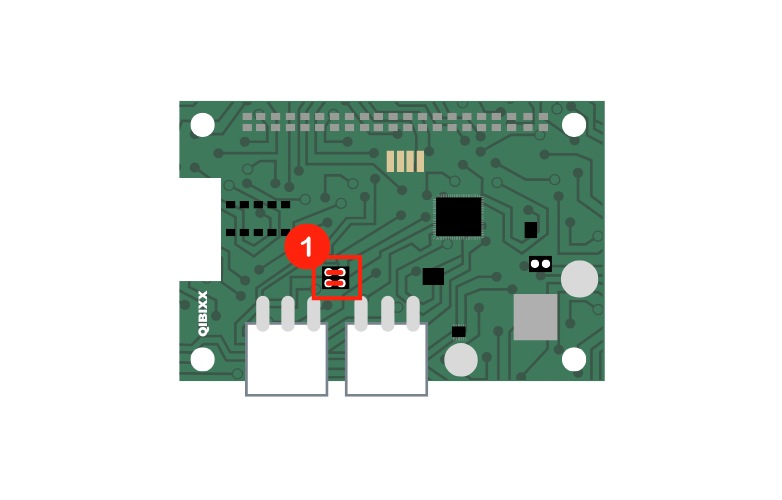
Split Mode - Jumper Set 1 Removed
In applications where you want to use the ports as separate host and peripheral ports you need to remove them (do NOT install them vertically!)
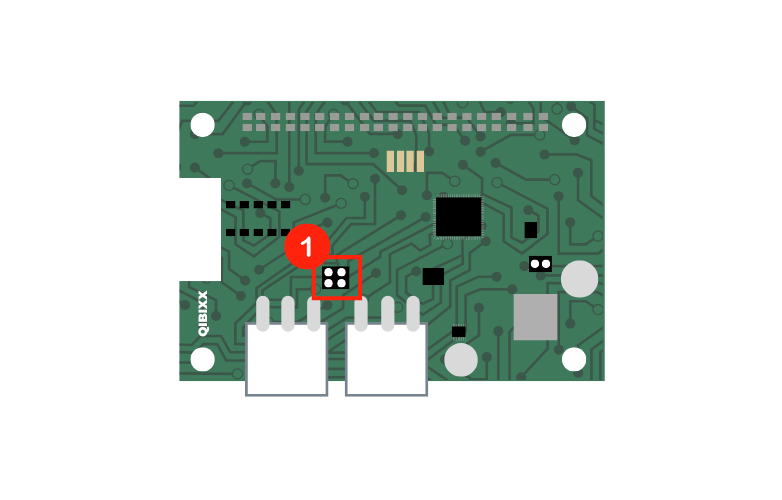
Pi Hat USB
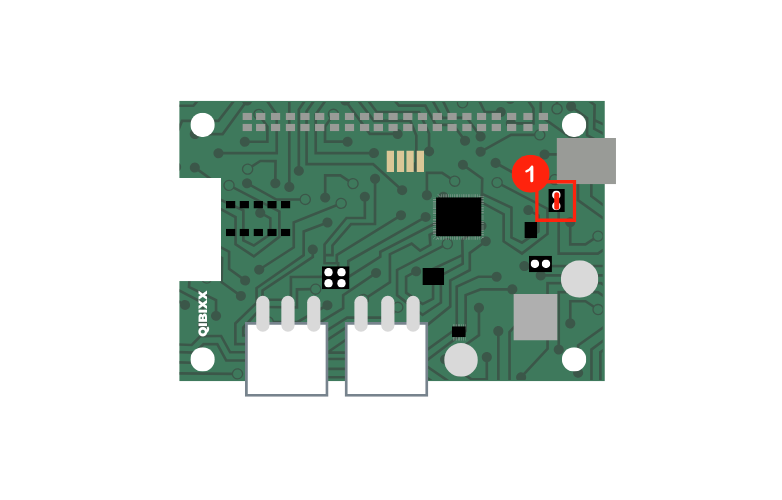
This section will just show the jumper which is specific to the Pi Hat USB, and is used to select between USB communication and the UART one. The jumper is depicted below:
Jumper | Name | Description |
|---|---|---|
1 | USB toggle jumper | This jumper must be closed when the device is to communicate with its host via USB, if the device is to be operated from the UART port, the jumper should be left open. |
To learn how to setup the communication with the Pi Hat via USB, just follow the same steps as for the MDB USB: First Steps